EventPro Manager: Ultimate Event Management SaaS
EventPro Manager is an all-encompassing SaaS platform meticulously designed for the entertainment industry, empowering event organizers to seamlessly plan, execute, and manage large-scale events from concept to completion. It consolidates critical functions like scheduling, budgeting, vendor management, and team collaboration into a single, intuitive interface, eliminating complexity and fostering operational excellence.
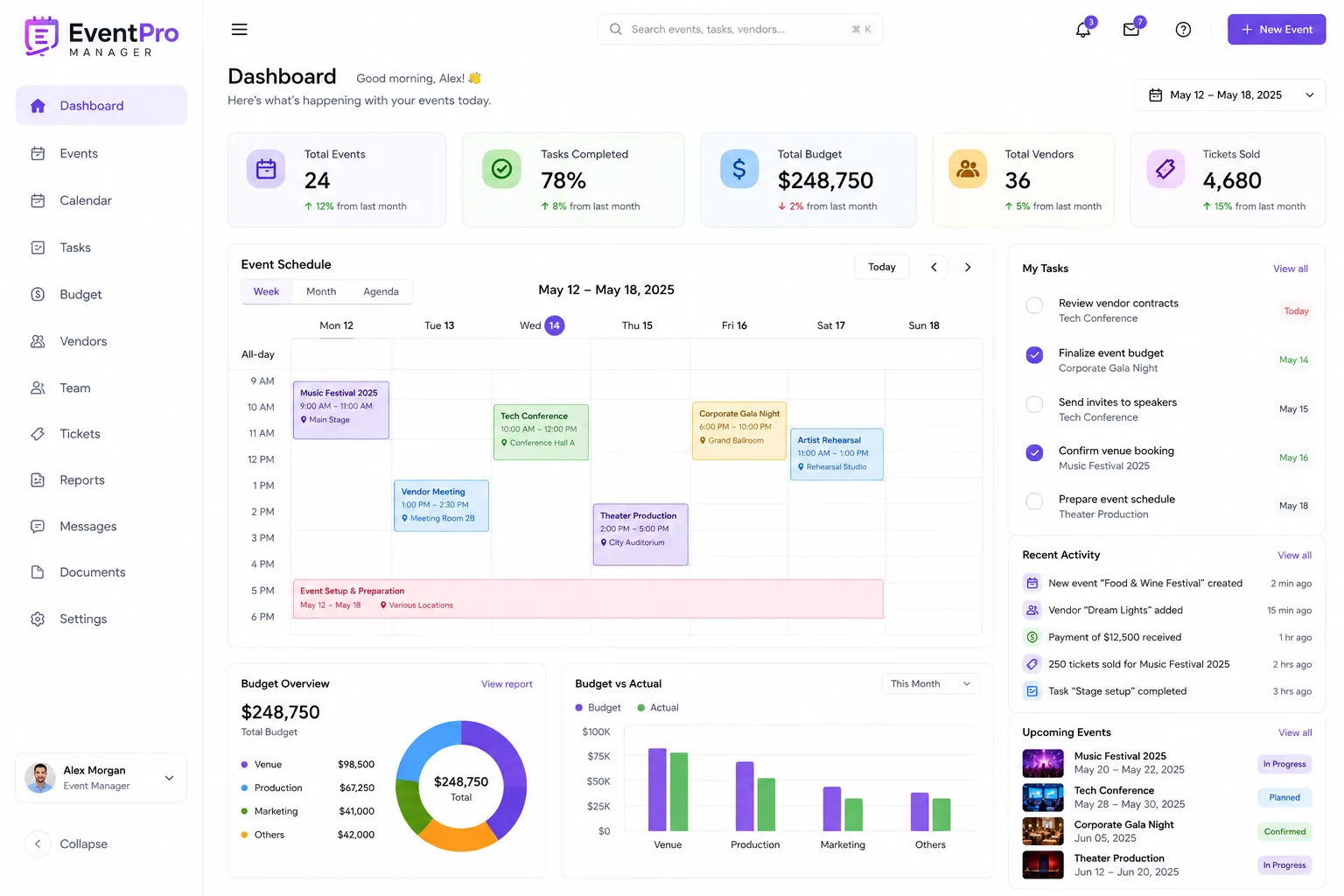
About this project
Key capabilities
Dynamic Event Scheduling & Timeline Management
A sophisticated module for comprehensive event timeline creation and real-time progress tracking.
Business Value
Significantly reduces scheduling conflicts and delays, leading to smoother event execution and higher client satisfaction. By providing a clear roadmap, it optimizes resource utilization and allows for proactive problem-solving, protecting budgets and enhancing operational efficiency across multiple simultaneous projects.
Advanced Budgeting & Financial Tracking
Robust tools for meticulous financial planning, expense tracking, and revenue forecasting for every event.
Business Value
Optimizes spending, maximizes ROI, and ensures financial transparency across all event operations. It allows for accurate forecasting, reduces unexpected costs, and provides comprehensive data for post-event financial analysis, driving better decision-making for future events and securing stakeholder confidence.
Integrated Vendor & Resource Management
Centralized platform for managing all event vendors, contractors, equipment, and staff resources.
Business Value
Streamlines procurement processes, improves vendor relationships, and ensures efficient allocation of critical resources. This leads to cost savings through better negotiation, reduces operational risks, and enhances the overall quality and consistency of event deliverables by connecting the right resources to the right tasks.
Real-time Collaborative Task Management
Facilitates seamless team coordination and communication through shared tasks, discussions, and file sharing.
Business Value
Enhances team productivity, improves communication efficiency, and reduces project errors. By providing a single platform for all task-related communication and asset sharing, it ensures everyone is aligned, fostering a more cohesive and responsive event team, leading to faster problem resolution and superior event outcomes.
Core Screens & Workflow
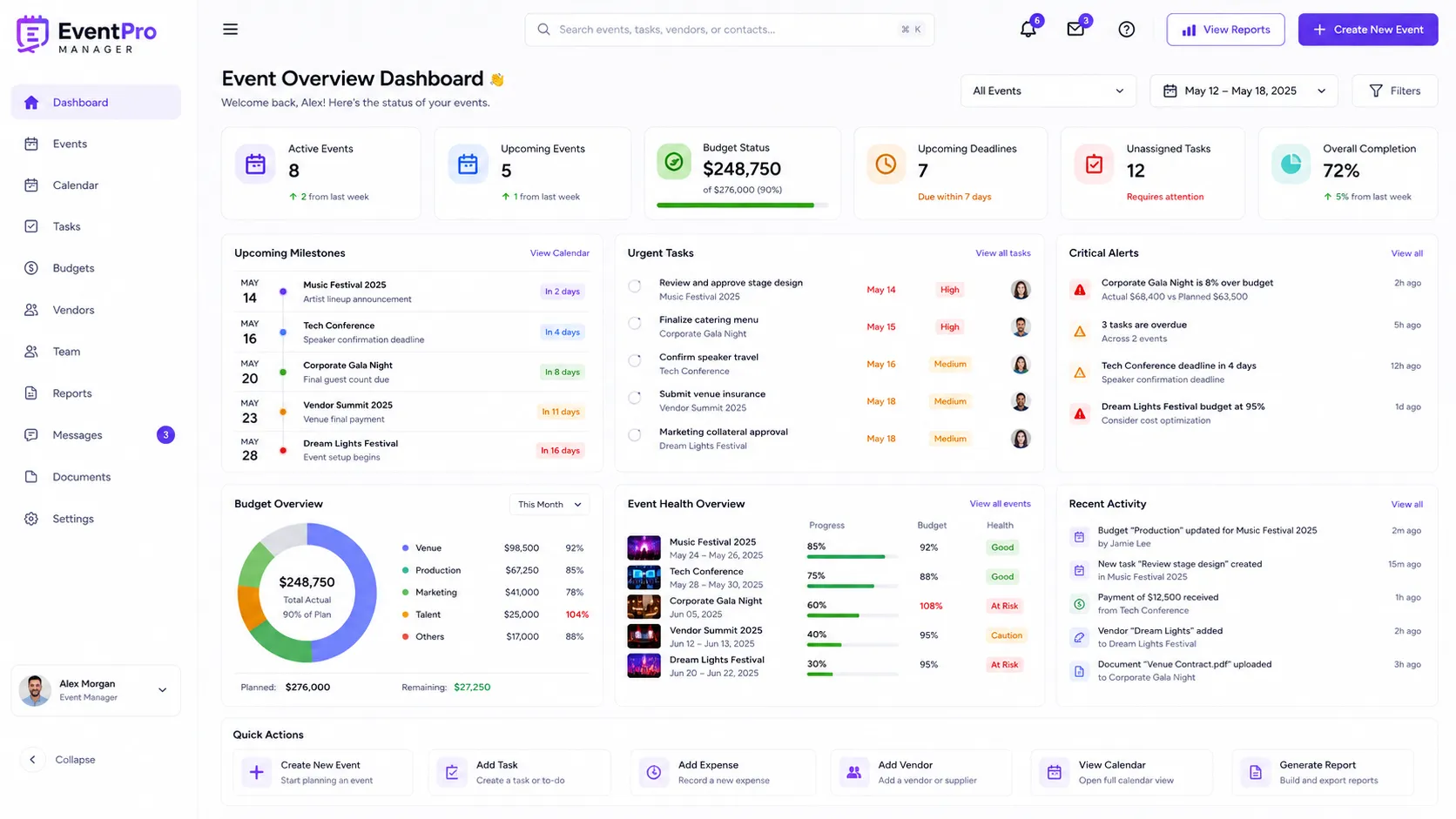
Frontend User Panel - Event Overview Dashboard
The central hub for event managers, offering a high-level overview of all active and upcoming events.
Workflow
Upon login, an event manager lands on this dashboard, which consolidates key metrics, critical alerts, and quick access points for their various projects. They can see an 'at-a-glance' summary of budget statuses (actual vs. planned), upcoming deadlines, unassigned tasks, and recent activity across all events they manage. Interactive widgets allow for quick filtering and drill-down into specific event details or areas requiring immediate attention.
Capabilities
Displays aggregated budget summaries, a timeline of upcoming critical milestones, a list of urgent tasks across all events, notifications, and shortcuts to create new events or access detailed event reports. It provides a visual representation of event health, such as progress bars for completion rates and color-coded alerts for budget thresholds.
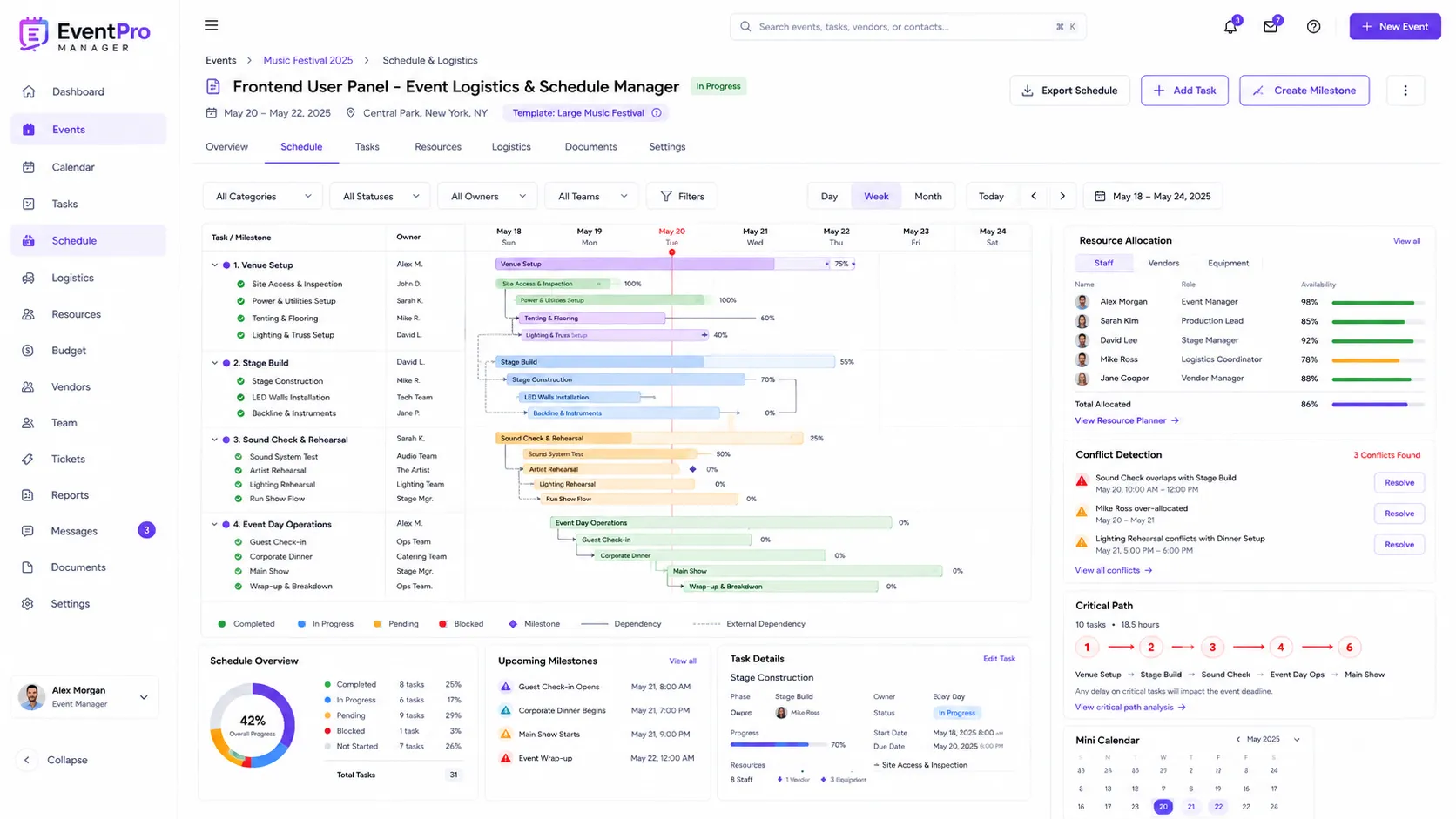
Frontend User Panel - Event Logistics & Schedule Manager
A detailed interface for crafting, visualizing, and managing the intricate timeline and resource allocation for a specific event.
Workflow
Users interact with an intuitive Gantt chart and calendar view, dragging and dropping tasks, milestones, and phases onto a timeline. They can assign specific resources (staff, equipment, vendors) to each task, set dependencies between tasks, and define start/end dates. Real-time updates reflect progress, and automated conflict detection prevents scheduling errors. Users can switch between daily, weekly, and monthly views to manage different levels of detail.
Capabilities
Create/edit event phases, add/assign tasks and sub-tasks, set deadlines and dependencies, allocate resources, track task completion progress, filter by team member or task category, view critical path analysis, and export schedules. Supports custom event templates for quick setup.
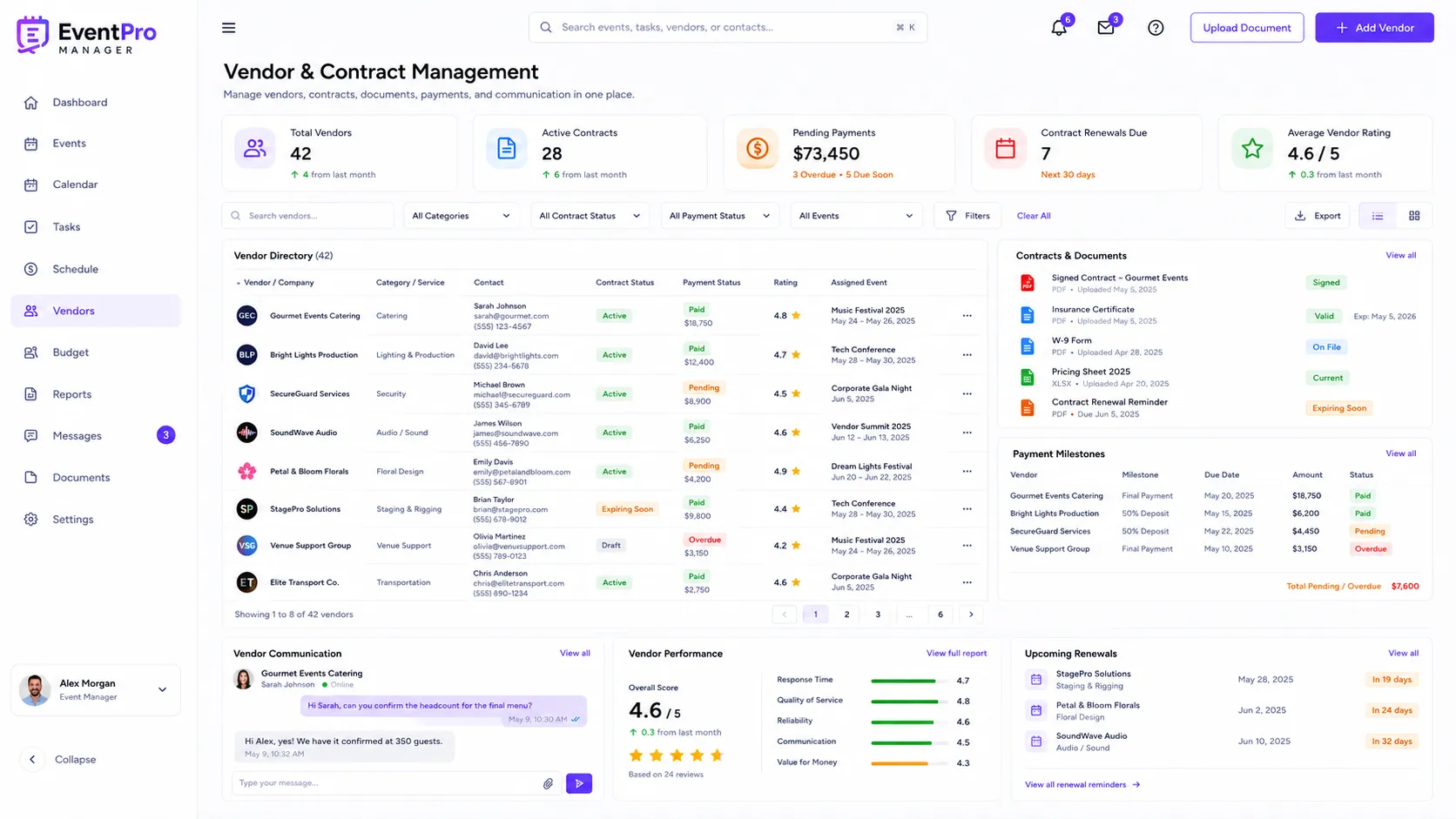
Frontend User Panel - Vendor & Contract Management
A comprehensive module for managing all external partners, their contracts, and related financial agreements.
Workflow
This screen provides a searchable database of all vendors associated with an event or across the organization. Event managers can add new vendors, store detailed contact information, service offerings, pricing sheets, and upload critical documents such as signed contracts, insurance certificates, and W-9 forms. They can also track payment schedules, communicate directly with vendors through integrated messaging, and view historical performance ratings.
Capabilities
Add/edit vendor profiles, upload/manage contracts and legal documents, track payment milestones, initiate communication threads, assign vendors to specific event tasks, view vendor service history, and generate vendor performance reports. Includes reminders for contract renewals.
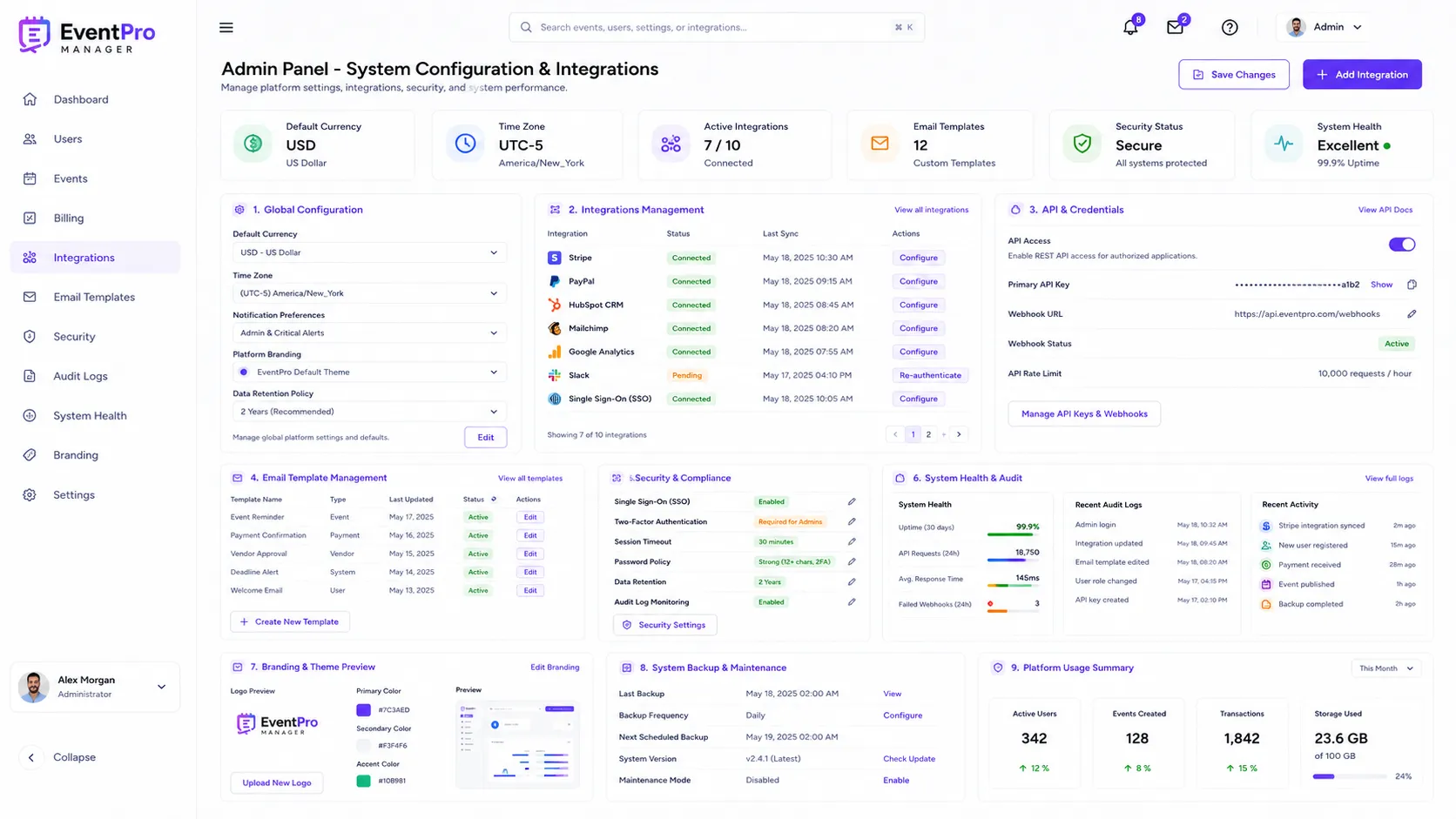
Admin Panel - System Configuration & Integrations
A dedicated interface for administrators to manage global system settings, customize platform behavior, and configure third-party integrations.
Workflow
Admins access this panel to define system-wide parameters such as default currency, time zones, notification preferences, and branding elements. They can also configure and manage API keys and credentials for various integrations like payment gateways (Stripe, PayPal), CRM systems, email marketing platforms, and analytics tools, ensuring seamless data flow and extended functionality for all users.
Capabilities
Configure global settings, manage email templates for notifications, set up and authenticate third-party integrations, manage API access, define data retention policies, configure security settings like SSO, and monitor system health and audit logs. It allows for branding customization of user-facing elements.
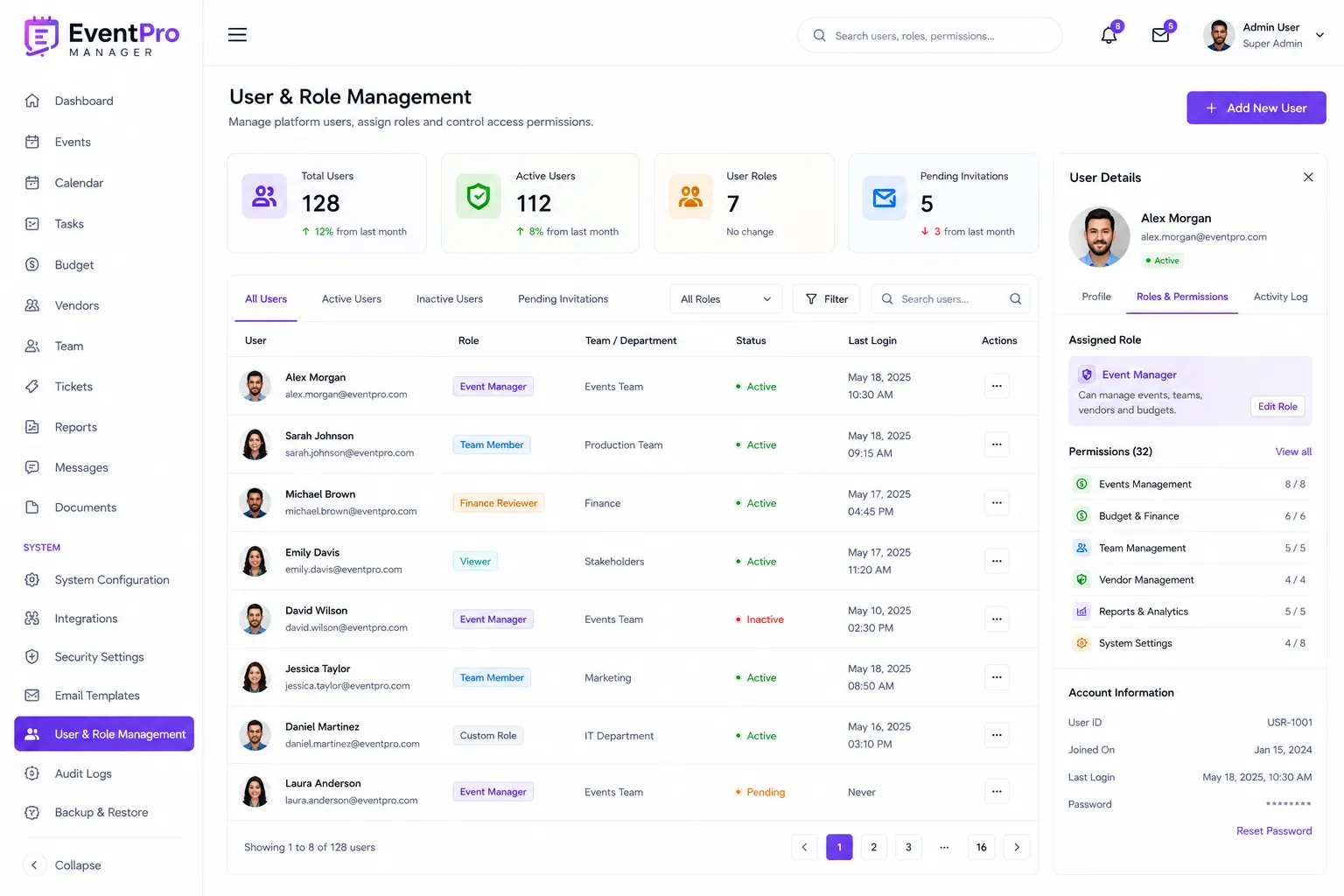
Admin Panel - User & Role Management
An advanced control center for administrators to manage all platform users, define their roles, and set granular access permissions.
Workflow
Admins use this interface to create new user accounts, assign predefined roles (e.g., 'Event Manager', 'Team Member', 'Finance Reviewer', 'Viewer'), or create custom roles with specific permissions. They can edit user profiles, reset passwords, deactivate accounts, and review audit trails of user activity. The system supports multi-level permissions, allowing for fine-grained control over which features and data each user or role can access.
Capabilities
Create, edit, and delete user accounts, assign and customize user roles, define granular permissions for features and data access, enforce password policies, review user activity logs, and manage team assignments to specific events. Integration with single sign-on (SSO) is also configurable here.
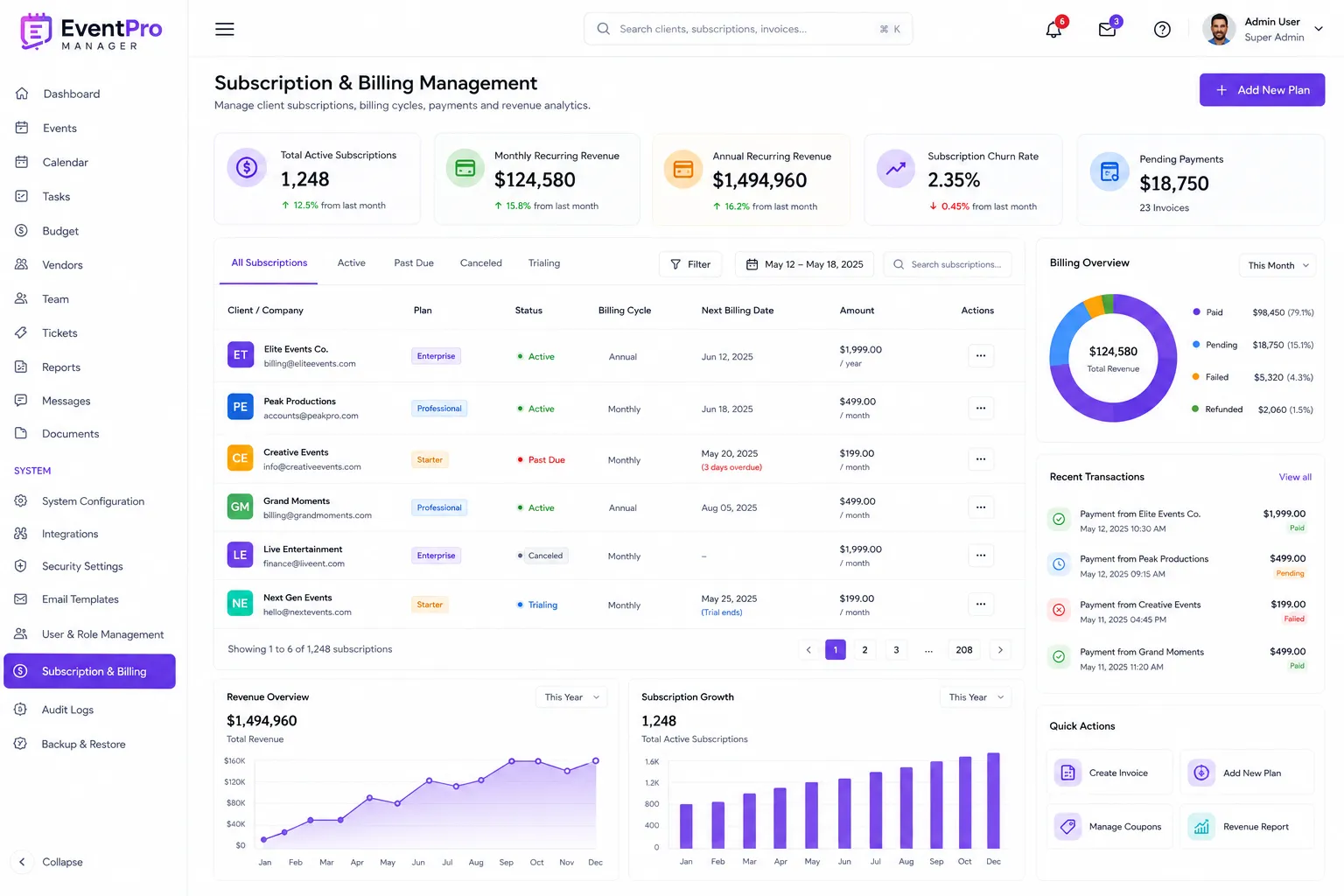
Admin Panel - Subscription & Billing Management
A dedicated section for managing client subscriptions, billing cycles, payment processing, and revenue reporting for the SaaS platform itself.
Workflow
This panel allows administrators to oversee all client accounts, view their current subscription plans, track payment statuses, and manage billing cycles. They can initiate plan upgrades or downgrades, generate invoices, apply discounts, and handle payment failures. The system provides comprehensive reports on subscription revenue, churn rates, and payment gateway interactions, offering vital insights into the SaaS business's financial health.
Capabilities
View/manage client subscriptions, process payments (manual or automated), generate and send invoices, configure pricing plans, manage promotional codes, track payment gateway transactions, generate subscription analytics and revenue reports, and handle customer billing inquiries. It supports recurring billing and various payment methods.
Technologies used
Have a project in mind?
Let's build something powerful together.