LogiChain Portal: End-to-End Supply Chain Command Center
LogiChain Portal is a comprehensive SaaS dashboard solution engineered to provide unparalleled end-to-end visibility and real-time tracking across complex supply chains. It empowers logistics professionals with actionable insights, transforming fragmented data into a unified, intelligent command center for optimized operations and enhanced decision-making.
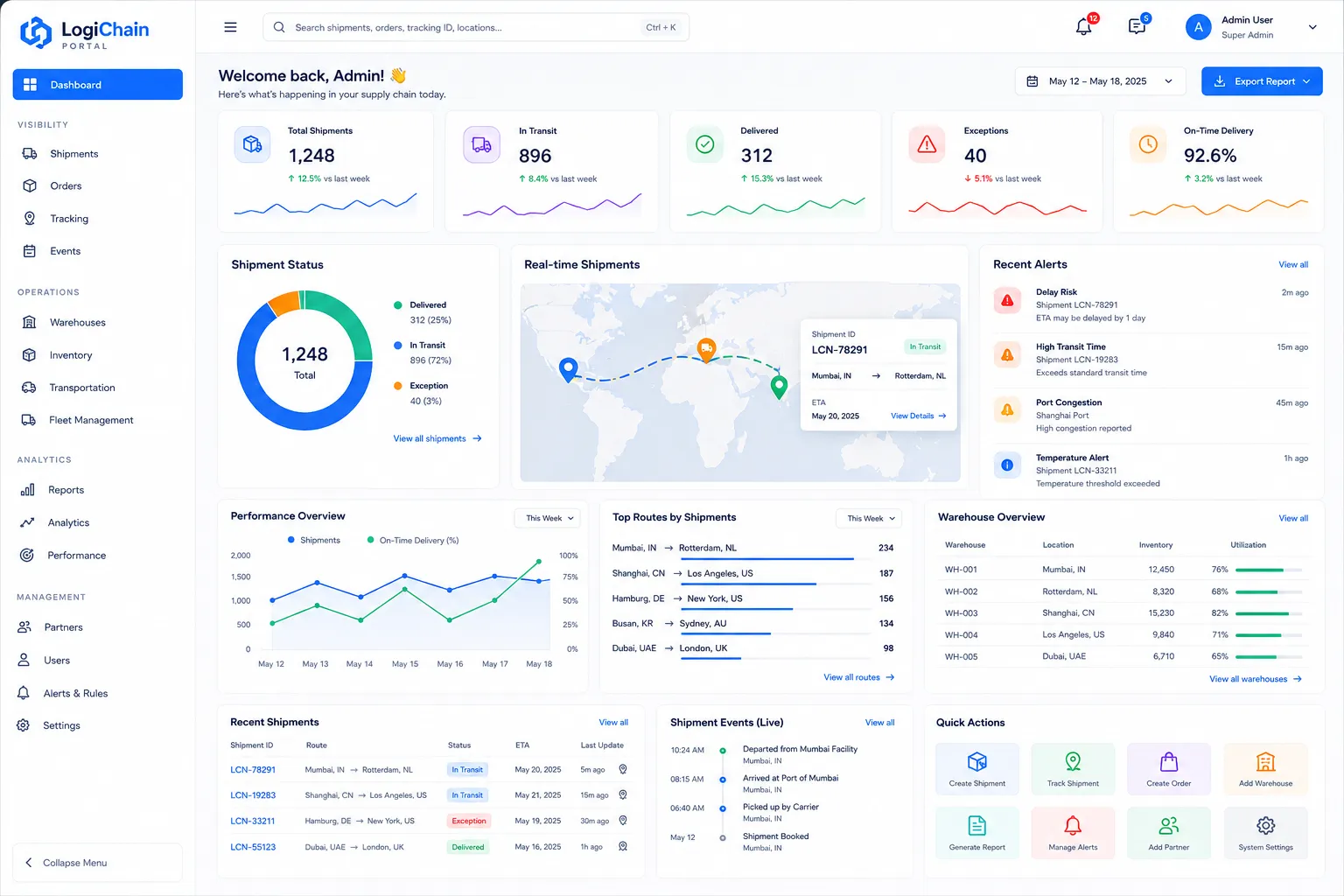
About this project
Key capabilities
Real-time Shipment Tracking & Visibility
Monitor every shipment's status, location, and estimated time of arrival (ETA) in real-time on an interactive map.
Business Value
Reduces customer service inquiries, improves on-time delivery rates, enhances customer satisfaction, enables proactive management of potential delays, and provides accurate data for performance analysis and route optimization, leading to significant cost savings in expedited shipping and claims.
Intelligent Inventory & Warehouse Optimization
Gain full control over inventory levels across multiple warehouses, optimize stock placement, and manage fulfillment processes efficiently.
Business Value
Minimizes carrying costs, reduces instances of stockouts and overstocking, improves order fulfillment rates, optimizes warehouse space utilization, and enhances cash flow by ensuring capital isn't unnecessarily tied up in inventory. Leads to more agile inventory responses to market changes.
Supplier Performance Management Dashboard
Evaluate and manage supplier relationships with comprehensive performance metrics, ensuring quality and on-time delivery.
Business Value
Improves supplier reliability and quality, reduces risks associated with supplier failures, optimizes procurement costs through data-driven negotiations, strengthens strategic supplier relationships, and ensures a more resilient supply chain foundation.
Predictive Analytics & Risk Assessment
Leverage AI-driven insights to anticipate potential delays, forecast demand fluctuations, and identify supply chain vulnerabilities.
Business Value
Minimizes the financial impact of disruptions, optimizes resource allocation, improves planning accuracy, reduces waste, and transforms the supply chain into a resilient, forward-looking operation capable of adapting to market changes and external pressures.
Core Screens & Workflow
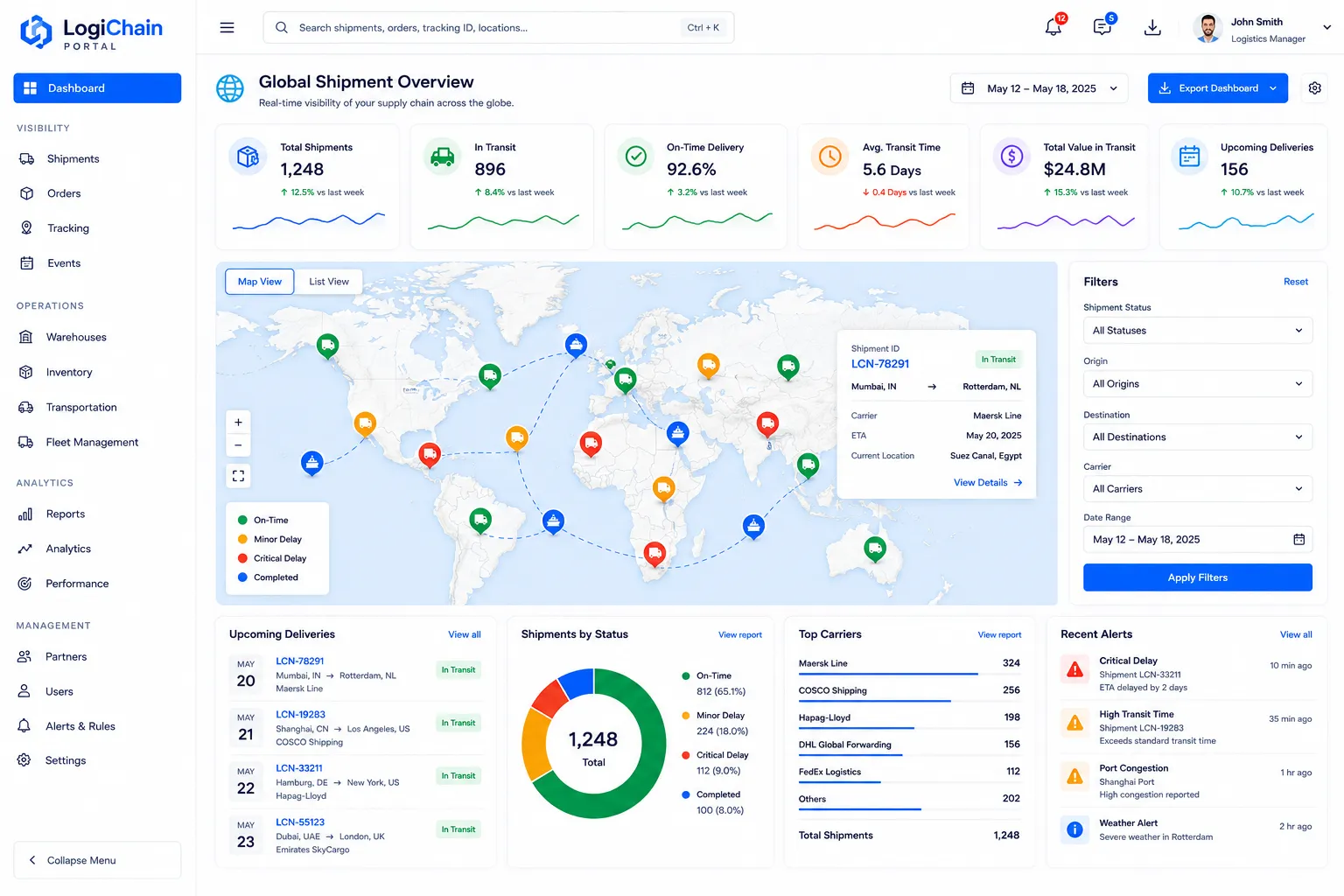
Frontend User Panel - Global Shipment Overview
A comprehensive dashboard displaying all active and recent shipments on an interactive world map with key performance indicators.
Workflow
Users log in and are immediately presented with a high-level view of their entire supply chain. The interactive map displays all active shipments with color-coded markers indicating their status (e.g., green for on-time, yellow for minor delay, red for critical delay). On the side or bottom, customizable widgets showcase critical KPIs such as total shipments in transit, on-time delivery rate, average transit time, and upcoming deliveries. Users can filter shipments by status, origin, destination, or carrier, and click on any shipment marker for a quick summary popup.
Capabilities
Interactive world map with real-time shipment markers; filter and search shipments; quick view summaries on map markers; customizable KPI widgets (e.g., 'Shipments On-Time', 'Upcoming Deliveries', 'Total Value in Transit'); access to detailed shipment reports; export dashboard data.
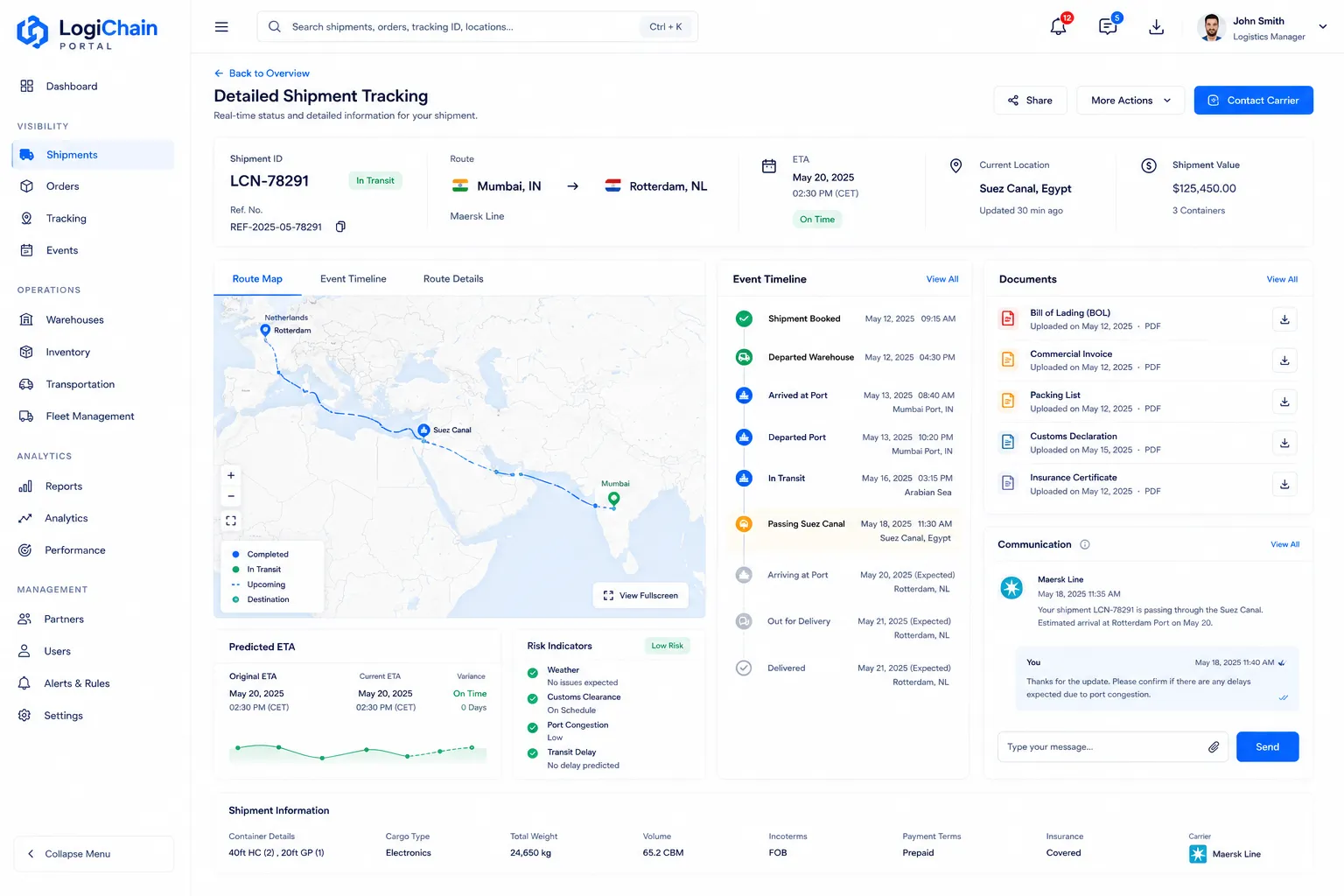
Frontend User Panel - Detailed Shipment Tracking
Provides granular details for a selected shipment, including route history, event logs, documentation, and communication tools.
Workflow
From the Global Shipment Overview, a user clicks on a specific shipment to navigate to this detailed view. Here, an expanded map shows the exact route taken and predicted path. A chronological event log details every status update (e.g., 'departed warehouse', 'in transit', 'arrived at port'). Relevant documents (BOL, customs forms) are accessible, and a communication panel allows for direct messaging with carriers or internal teams regarding this specific shipment. Predictive analytics might highlight potential risks or revised ETAs.
Capabilities
Detailed route map with historical and predicted path; chronological event log/timeline; document management (upload, view, download); in-app messaging/communication; revised ETA calculation; anomaly detection alerts; share shipment details externally.
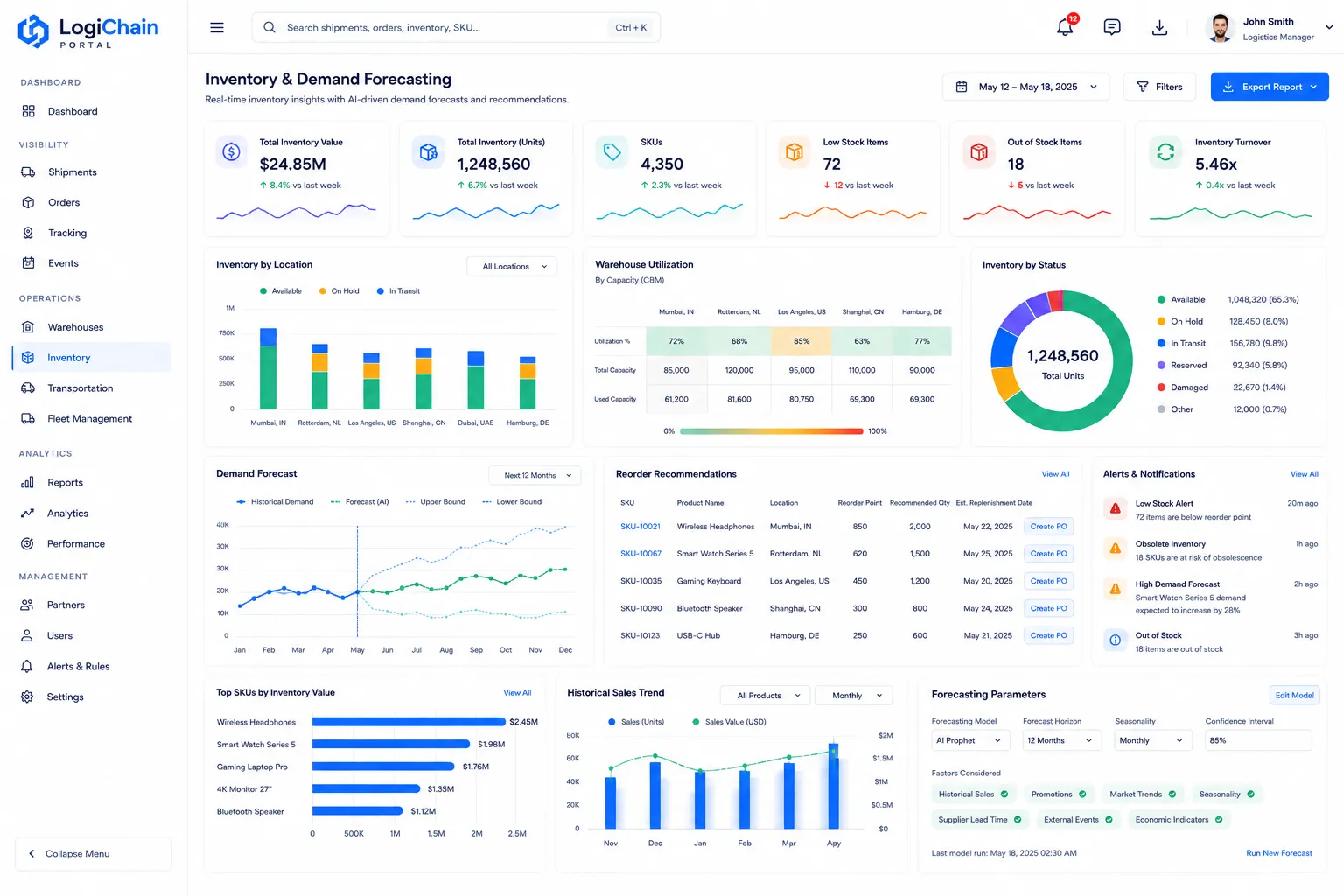
Frontend User Panel - Inventory & Demand Forecasting
A dashboard dedicated to current inventory levels across all locations, coupled with AI-driven demand forecasts and reorder recommendations.
Workflow
Users access a consolidated view of inventory by product, warehouse, and status (e.g., 'available', 'on hold', 'in transit'). Visualizations like bar charts and heatmaps represent stock levels and warehouse utilization. The core functionality lies in the demand forecasting module, which displays predicted future demand based on various factors, alongside system-generated reorder suggestions, optimal safety stock levels, and potential obsolescence warnings. Users can adjust forecasting parameters and review historical sales data.
Capabilities
Real-time inventory levels by location and SKU; warehouse utilization visualization; demand forecast graphs and data tables; reorder point and quantity recommendations; safety stock calculation; obsolete inventory alerts; historical sales data analysis; customizable forecasting models.
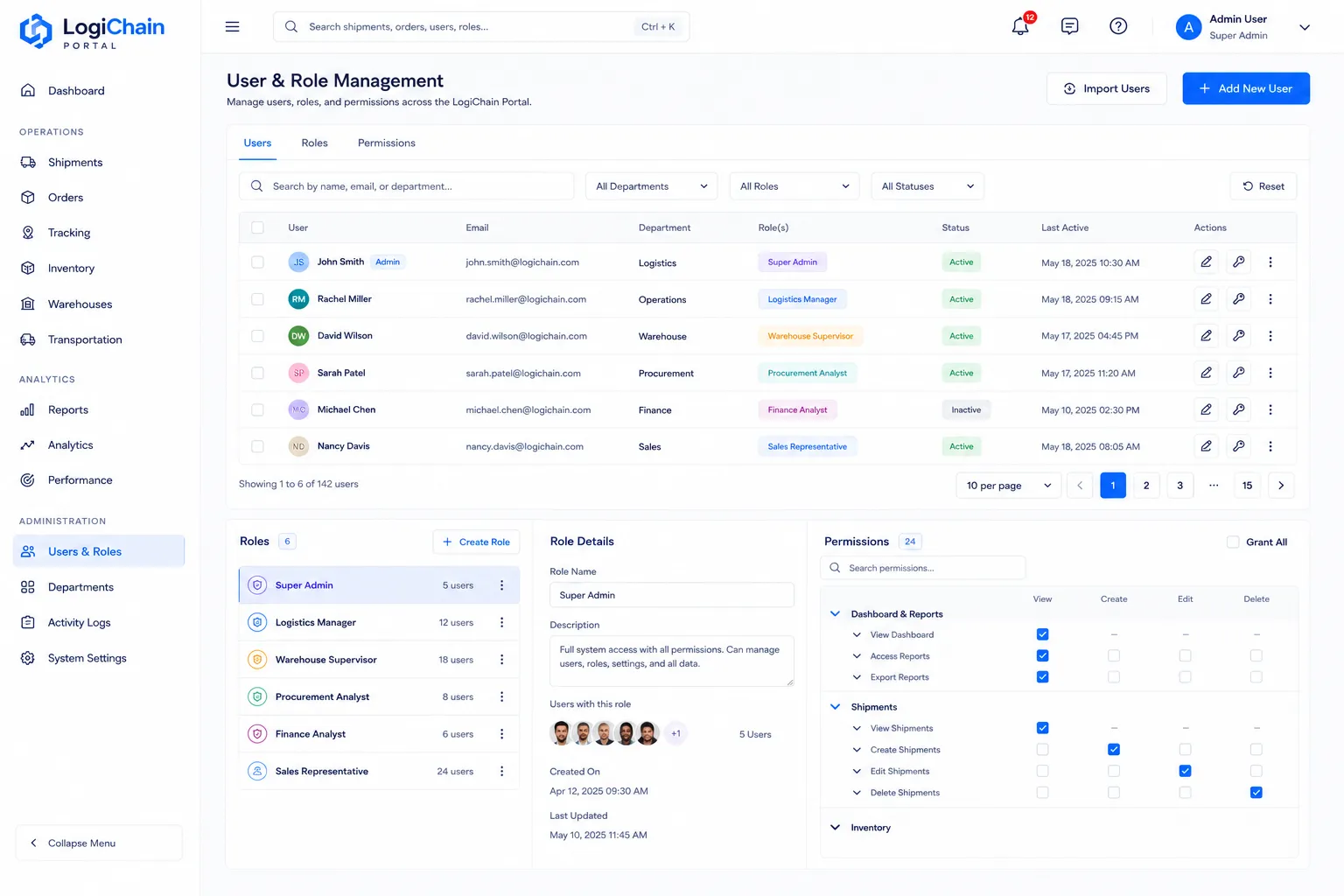
Admin Panel - User & Role Management
Allows administrators to manage all users within the LogiChain Portal, assign roles, and define granular access permissions.
Workflow
Administrators see a list of all active and inactive users, with details such as name, email, department, and assigned roles. They can add new users, edit existing user profiles, reset passwords, and deactivate accounts. The core functionality involves defining custom roles (e.g., 'Logistics Manager', 'Warehouse Supervisor', 'Procurement Analyst') and then assigning specific permissions to each role, controlling access to features, data sets, and actions within the portal. This ensures data security and adherence to organizational hierarchies.
Capabilities
Add/edit/delete users; user search and filter; assign pre-defined or custom roles; create and manage custom roles; granular permission settings for each role (e.g., 'view only shipments', 'edit inventory', 'access financial reports'); password reset and account deactivation.
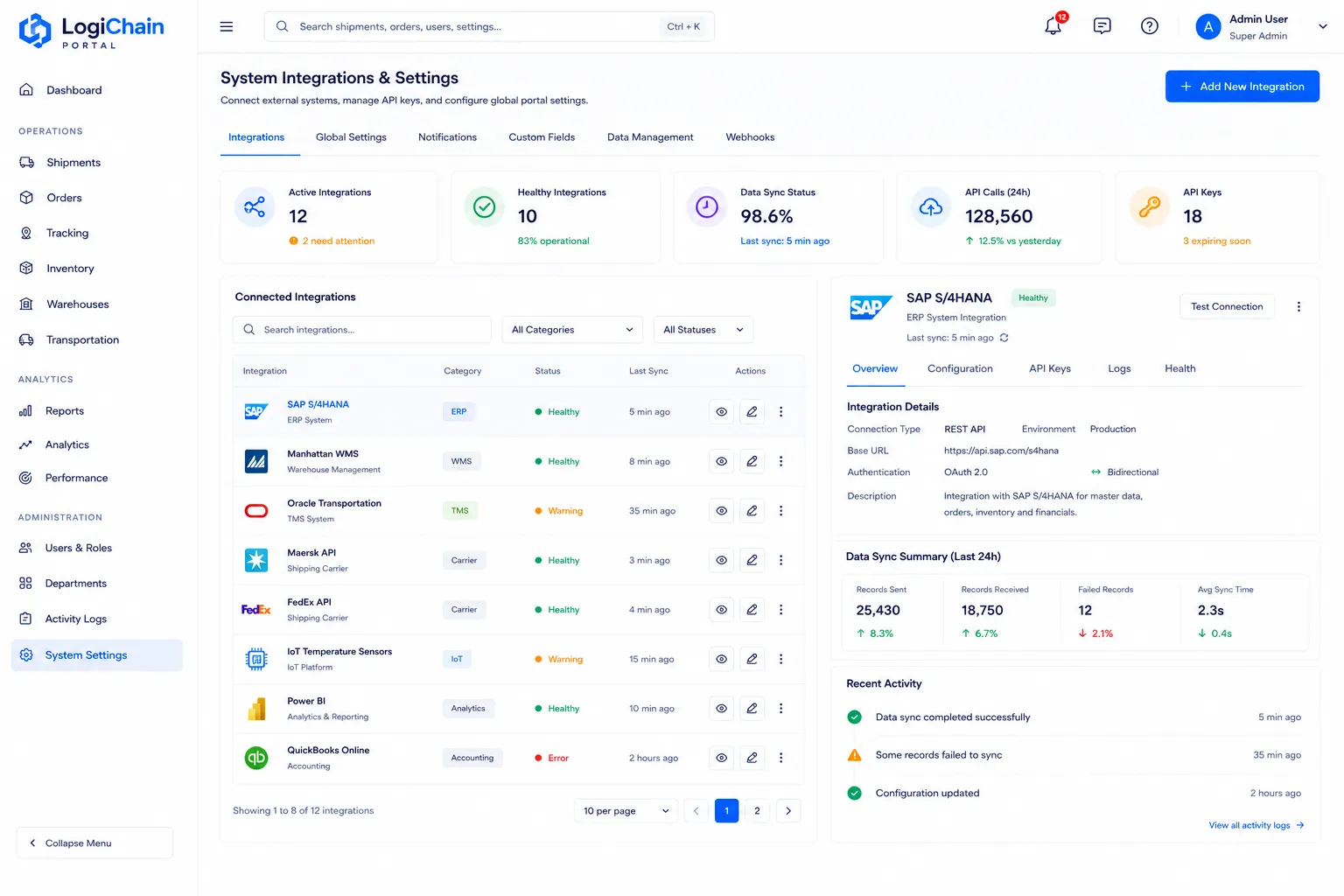
Admin Panel - System Integrations & Settings
Enables administrators to configure external system integrations, customize global portal settings, and manage API keys.
Workflow
This screen provides a centralized hub for managing all third-party integrations (e.g., ERP systems, WMS, carrier APIs, IoT platforms). Administrators can view existing integrations, add new ones by configuring API keys and connection parameters, and monitor integration health. Beyond integrations, global settings such as currency, time zones, notification preferences, and custom data fields can be adjusted here, tailoring the portal's behavior to specific business needs. Webhook configurations for outbound data also reside here.
Capabilities
Manage API connections to ERP, WMS, TMS, carrier systems; configure IoT device endpoints; manage API keys and credentials; set global timezones, currency, and language preferences; customize notification triggers and recipients; define custom data fields for shipments or inventory; configure data export/import settings and schedules; webhook management.
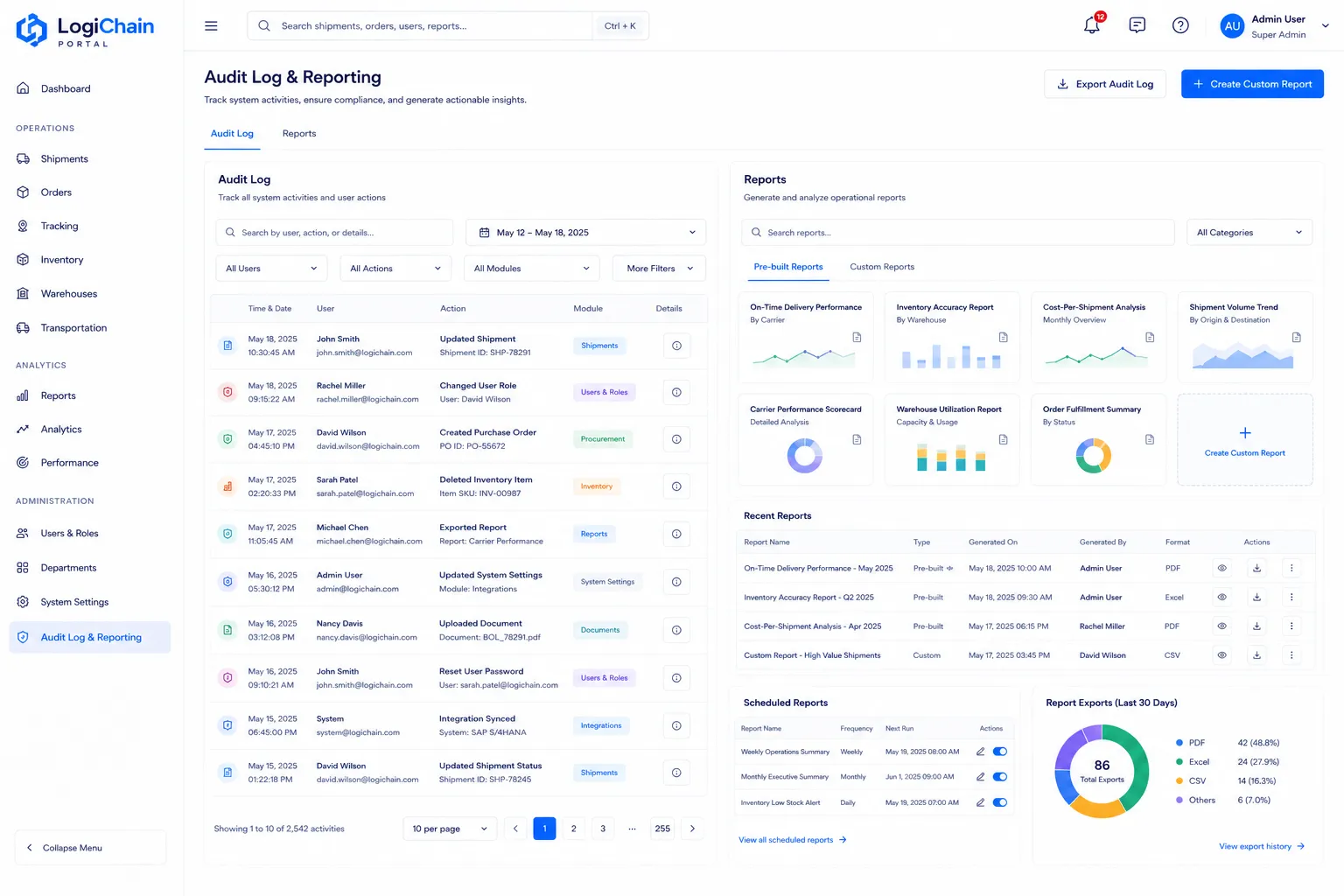
Admin Panel - Audit Log & Reporting
Provides administrators with a detailed audit trail of all system activities and tools to generate comprehensive operational reports.
Workflow
The audit log section records every significant user action (e.g., 'user X updated shipment Y', 'admin Z changed user permissions') with timestamps and associated details, allowing for accountability and troubleshooting. The reporting section offers a suite of pre-built and customizable reports on various supply chain metrics (e.g., carrier performance, cost analysis, inventory turnover). Administrators can define report parameters, schedule report generation, and export data for further analysis. This screen is crucial for compliance and performance monitoring.
Capabilities
Searchable and filterable audit log of all user and system activities; view activity details (user, action, timestamp, affected data); generate compliance reports; access pre-built operational reports (e.g., 'On-Time Delivery Performance by Carrier', 'Inventory Accuracy Report', 'Cost-Per-Shipment Analysis'); customize report parameters; schedule report delivery; export reports to various formats (PDF, CSV, Excel).
Technologies used
Have a project in mind?
Let's build something powerful together.